Chrome extensions / Table Cleanup

Messy web tables.
Clean spreadsheets.
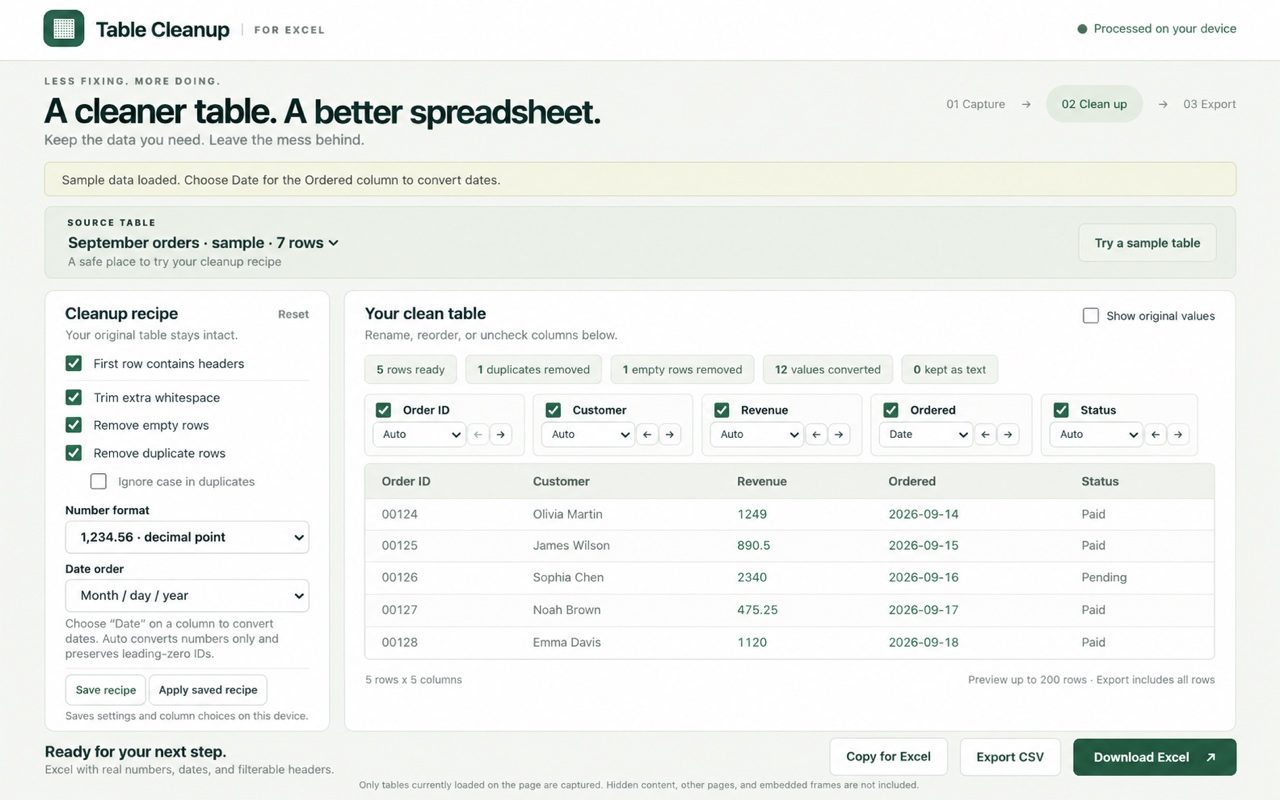
Click the extension on any page with a table. Remove duplicates, fix numbers and dates, pick your columns, and download a real Excel file. No copy-paste cleanup, no formulas.
How it works
Capture. Clean. Export.
Three steps, all in one tab.
Capture
Open a page with a table and click the extension. It finds every table on the page, and you pick the one you want.
Clean
Trim spaces, drop empty and duplicate rows, and turn currency, percentages and dates into real values. Rename, reorder or hide columns.
Export
Download an .xlsx with a frozen header and filters, save a CSV, or copy it straight into Excel or Google Sheets.
The cleanup
See every change before you export.
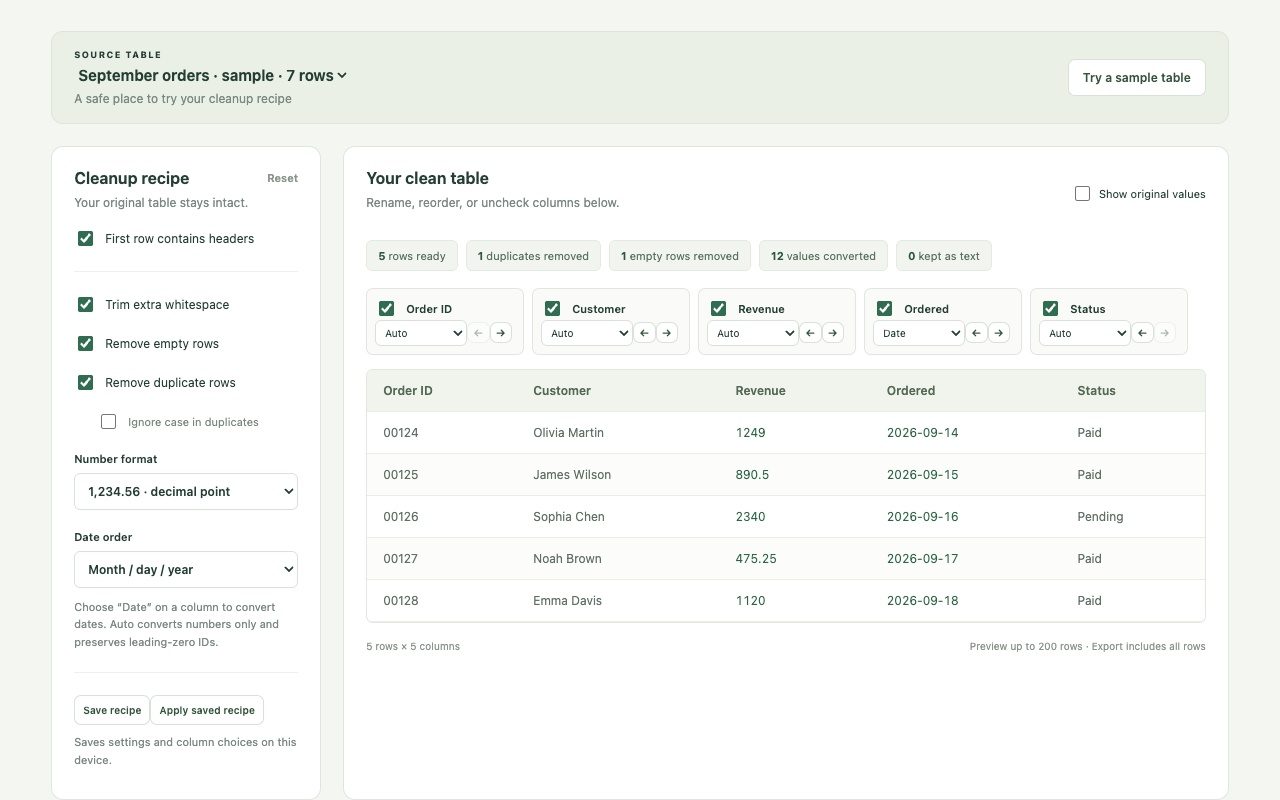
A live preview shows exactly what you'll get, with a count of duplicates removed and values converted. Turn on "Show original values" to compare.
What it fixes
The things that make copy-paste painful.
- Duplicates and empty rows removed, matched on the columns you choose.
- Real numbers from "$1,249.00", "12%", "(45)" and European "1.234,56".
- Real dates, with month-first or day-first chosen by you, never guessed.
- Leading zeros kept on IDs and ZIP codes, and long numbers stay exact.
- Columns your way: pick, rename and reorder before exporting.
- Saved recipe: reuse your settings on the next matching table in one click.
- Merged cells expanded so every row lines up.
- Excel, CSV or clipboard, whichever you need next.
The export
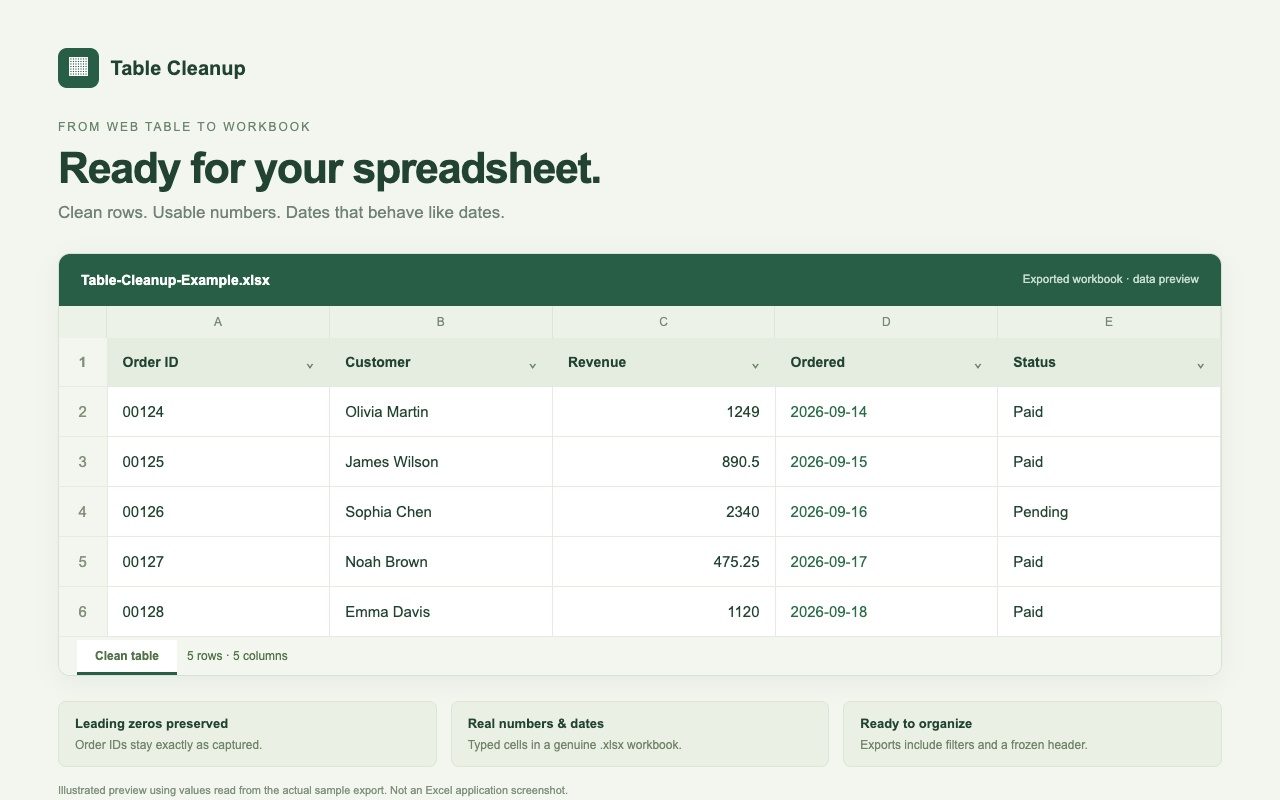
A workbook that behaves like one.
Numbers you can sum, dates you can sort, IDs that keep their zeros, plus a frozen header row and filters already on.
Private by design
Tables are processed on your computer. No account, no analytics, nothing uploaded to us or anyone else. The extension only reads a page when you click it. Privacy policy
Questions
Good to know
Which tables does it work with?
Regular HTML tables and grid-style tables that are loaded on the page you're looking at. It doesn't click through other pages of results, read tables inside embedded frames, or pull tables out of PDFs or images.
Does it change anything on the website?
No. It reads the table and opens its own workspace in a new tab. The page you captured from stays exactly as it was.
How big a table can it handle?
Up to 50 tables or 100,000 cells per capture. If a page has more, it tells you the capture is partial. The preview shows 200 rows, and the export includes every row.
Will it work in Google Sheets?
Yes. Open the downloaded .xlsx in Google Sheets, or use "Copy for Excel" and paste. The .xlsx keeps types and leading zeros most reliably.
When can I get it?
It's finishing up for the Chrome Web Store. Email us and we'll send you the link as soon as it's live.
Stop cleaning tables by hand.
Table Cleanup is coming to the Chrome Web Store.